
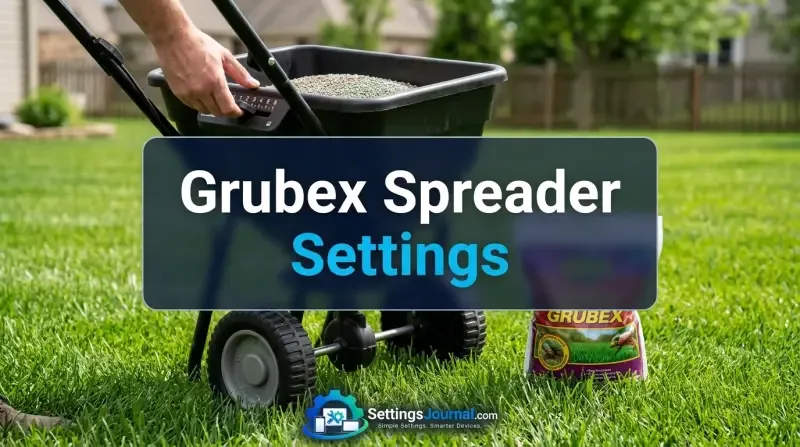
Verification & Component Tolerance Notice: Spreader settings for Scotts and Lesco equipment are nominal starting points and do not account for mechanical wear on slide plates or variations in granule density. Always perform a physical weight-based calibration test before applying product to your entire lawn to ensure compliance with the label rate.
Master Calibration Matrix Table
The following table provides the industry-standard starting points for common spreader models. These values are derived from manufacturer documentation and professional field testing. For further reference on professional equipment, consult the guides available at Inside The Yard’s Lesco Spreader Settings and the technical breakdown at Outdoor Stip’s Lesco Spreader Guide.
| Spreader Model | Application Type | Recommended Setting | Notes |
|---|---|---|---|
| Scotts Broadcast/Rotary | Broadcast | 3¾ | Standard single-pass |
| Scotts Drop Spreader | Drop | 7¼ | High precision, low drift |
| Scotts Wizz | Handheld | 4¼ | Variable speed dependent |
| Lesco High-Wheel | Broadcast | 3 | Professional grade |
| Lesco Drop Spreader | Drop | 5½ | Requires consistent pace |
| Scotts Elite/EdgeGuard | Broadcast | 3.5 | Adjust for deflector |
Scotts Equipment Specifications
Scotts equipment is engineered for specific granule sizes. The 3¾ setting for rotary units is calibrated for the weight-to-volume ratio of GrubEx granules. If your dial shows signs of drift or the tension spring in the cable assembly is loose, the effective opening size may be larger than the indicated number. Always verify that the slide plate fully closes when the trigger is released.
Lesco Professional Grade Settings
Lesco spreaders utilize a different gate geometry than consumer-grade Scotts units. The setting of 3 for broadcast units is intended to provide a specific flow rate based on a standard 3mph walking speed. Because these units are often used in commercial settings, the gate mechanism is more robust, but it is also more sensitive to the angle of the handle during operation.
Operational Dynamics and Walking Speed
The Velocity Variable
Walking speed is the most frequently overlooked factor in spreader calibration. The discharge rate of a spreader is a function of the gate opening size and the speed at which the operator traverses the area. If you walk faster than 3mph, you will apply less product per 1,000 square feet than the label requires. Conversely, walking too slowly results in an over-application, which can lead to localized chemical stress on the turf.
Terrain and Particle Density Impact
Uneven terrain forces changes in walking speed. On inclines, operators naturally slow down, which increases the amount of product deposited on the slope. When applying GrubEx, maintain a consistent cadence. If the product appears to be clumping due to high humidity, the effective density of the material changes, which may require a slight increase in the dial setting to maintain the intended flow rate.
Field Calibration Methodology
The Tarp Test Procedure
To perform a professional-grade calibration, lay a tarp or a large piece of cardboard over a measured 10×10 foot area (100 square feet). Set your spreader to the recommended setting and walk across the area at your normal pace. Collect all the granules that landed on the tarp and weigh them using a digital kitchen scale.
Calculating Output per 1,000 Square Feet
If you collected 0.5 LBS of product on your 100 square foot tarp, you are applying at a rate of 5 LBS per 1,000 square feet. Compare this result to the GrubEx label requirements. If your result is lower than the target, increase the dial setting by a quarter-increment and repeat the test. If it is higher, decrease the setting. This iterative process is the only way to ensure 100% accuracy regardless of spreader age or condition.
- Inspect the slide plate for debris or dried chemical residue.
- Verify that the agitator rotates freely when the wheels turn.
- Confirm the cable tension allows the gate to open fully at the maximum setting.
- Ensure the hopper is dry to prevent granule bridging.
Application Techniques for Uniformity
Single Pass vs Crisscross Patterns
A single-pass application is standard for most broadcast spreaders. However, for maximum uniformity, a two-pass crisscross method is superior. To execute this, divide your required product amount in half. Apply the first half in one direction, then apply the second half at a 90-degree angle to the first pass. When using this method, reduce your dial setting by 50% of the manufacturer’s recommendation to avoid doubling the total application rate.
Managing EdgeGuard and Deflector Shields
Many modern spreaders include an EdgeGuard or deflector shield to prevent product from entering flower beds or sidewalks. Activating this shield restricts the spread pattern, which can lead to a higher concentration of granules in the area immediately adjacent to the spreader. When using the shield, ensure you are walking slightly further away from the boundary to compensate for the narrowed distribution width.
Hardware Maintenance and Spreader Health
Cleaning Protocols for Granular Residue
GrubEx contains active ingredients that can be corrosive to metal components if left to sit. After every use, empty the hopper and rinse the entire unit with water. Use a soft brush to remove any granules stuck in the slide plate mechanism. Allow the unit to dry completely in the sun before storing it, as moisture trapped in the hopper will cause the next batch of product to bridge and clog the gate.
Mechanical Linkage Calibration
The control cable that connects the handle to the slide plate often stretches over time. Check the linkage every season. If the gate does not fully open when the dial is set to the maximum, the cable housing needs to be adjusted. Most spreaders feature a barrel adjuster near the handle that allows you to take up the slack in the cable, ensuring the dial setting accurately reflects the gate opening.
Troubleshooting Flow Irregularities
Identifying Clogging and Bridging
Bridging occurs when granules form an arch over the gate opening, preventing flow. This is common in high-humidity environments. If you notice the spreader is not dropping product despite the gate being open, stop immediately and clear the hopper. Avoid tapping the spreader, as this can cause a sudden surge of product, leading to an uneven application.
Adjusting for Humidity and Product Clumping
If the product is clumping, it will not flow through the gate at the same rate as dry, free-flowing granules. In these conditions, you may need to increase the setting by a small fraction. However, it is always better to wait for a day with lower humidity to ensure the most accurate application possible.
Operators frequently report that dial numbers are not universal across different brands of spreaders. A ‘3’ on a Scotts unit is not the same as a ‘3’ on a Lesco or EarthWay unit. The consensus is to ignore the ‘recommended’ chart on the back of the bag if you have a non-Scotts spreader and instead perform the tarp test. Furthermore, many users note that the ‘EdgeGuard’ feature on consumer spreaders often leads to uneven distribution, and many professionals prefer to disable it and use manual blocking techniques for better control.
Frequently Asked Questions
What is the standard setting for a Scotts broadcast spreader when applying GrubEx?
The manufacturer-recommended starting point for Scotts broadcast spreaders is 3¾.
How do I calibrate my spreader if my specific model isn’t listed?
You should perform a tarp test by weighing the amount of product discharged over a measured 1,000 square foot area and adjusting your dial until the weight matches the label rate.
Should I use a single-pass or two-pass application method?
While a single-pass is standard for most broadcast spreaders, a two-pass crisscross method is often preferred for better coverage, provided you reduce your spreader setting by half.
Does walking speed affect my GrubEx application rate?
Yes, walking speed is a critical variable; walking too fast will result in under-application, while walking too slowly will lead to over-application.
Why is it important to clean my spreader after applying GrubEx?
Residual granules can absorb moisture and cause the slide plate mechanism to corrode or seize, leading to inaccurate settings during your next application.