
Master Calibration Matrix and Operational Parameters
The calibration of KUHN fertilizer spreaders is not a static process. Because fertilizer granule density, moisture content, and hardness vary by batch, the machine must be configured based on current product specifications. The following table outlines the operational ranges for the primary KUHN spreader families.
| Series | Working Width (m) | Standard PTO (RPM) | Flow Rate (kg/min) | Control Method |
|---|---|---|---|---|
| MDS 8.2 | 10 to 24 | 540 | Up to 250 | Manual Pointer |
| MDS 14.2 | 10 to 24 | 540 | Up to 250 | Manual Pointer |
| MDS 18.2 | 10 to 24 | 540 | Up to 250 | Manual Pointer |
| MDS 20.2 | 10 to 24 | 540 | Up to 250 | Manual Pointer |
| AXIS 20.1 | 12 to 50 | 540 | Variable | Wi-Fi / Terminal |
| AXIS 30.1 | 12 to 50 | 540 | Variable | Wi-Fi / Terminal |
| AXIS 40.1 | 12 to 50 | 540 | Variable | Wi-Fi / Terminal |
| AXIS 50.1 | 12 to 50 | 540 | Variable | Wi-Fi / Terminal |
MDS Series Flow Specifications
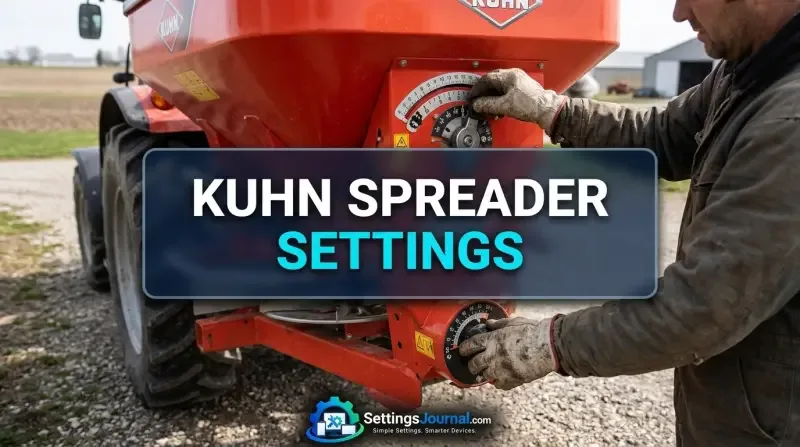
The MDS series utilizes a mechanical flow control system. The flow rate is determined by the aperture size at the base of the hopper. Operators must consult the specific chart for their fertilizer to identify the correct pointer position on the lower scale plate. This position represents the open stop point, which the slide reaches during operation.
AXIS Series Width Capabilities
The AXIS series offers a wider operational range, extending up to 50 meters. These machines utilize advanced disc technology that requires precise adjustment of the drop point on the disc. The working width is not merely a function of disc speed but a combination of disc RPM, vane angle, and the drop point of the fertilizer onto the disc surface.
Digital Integration via SpreadSet
KUHN has moved toward digital calibration through the KUHN SpreadSet application. This tool eliminates the guesswork associated with manual chart interpretation. By selecting the specific machine model, disc type, and fertilizer product, the app calculates the exact settings required for the desired application rate.
Wi-Fi Data Transfer Protocols
For AXIS models equipped with compatible terminals, the SpreadSet app communicates via Wi-Fi to push settings directly to the spreader’s onboard computer. This synchronization ensures that the flow factor and lateral distribution settings are updated without manual input, reducing the risk of operator error.
Offline Calibration Syncing
The application is designed for field use, where cellular connectivity may be unreliable. Once the initial database is downloaded, the app functions entirely offline. This allows operators to recalibrate for different fertilizer batches in remote locations without needing an active internet connection.
Manual Adjustment Procedures
For machines lacking digital integration, manual adjustment remains the standard. The process centers on the lower scale plate located at the hopper outlet.
Setting the Lower Scale Plate
To set the spreading volume, the operator must move the pointer to the position specified by the fertilizer chart. This pointer serves as the mechanical stop for the spreading slide. When the hydraulic or spring-loaded mechanism engages, the slide moves until it hits this pointer, ensuring a consistent aperture size throughout the spreading pass.
TELIMAT Alphabetic Scale Configuration
The TELIMAT system, used for border spreading, requires configuration on an alphabetic scale. This adjustment changes the trajectory of the fertilizer to ensure that material is kept within the field boundary while maintaining the correct application rate. The alphabetic setting must be cross-referenced with the disc type and fertilizer density to prevent over-application at the field edge.
Fertilizer Characteristics and Flow Factors
Fertilizer is not a uniform material. Variations in granule size distribution, moisture content, and bulk density significantly impact flow characteristics.
Granule Density Impact
Heavier, denser granules require different disc speeds and drop points compared to lighter, porous granules. If the density changes, the flow factor must be adjusted. The SpreadSet app accounts for these differences by providing a unique flow factor for each product profile.
Flow Factor Calibration
The flow factor is a multiplier used by the spreader’s computer to calculate the actual output based on the aperture size. If a calibration test reveals that the machine is spreading 5% less than the target rate, the flow factor must be increased by 5% to compensate. This adjustment is essential for maintaining accuracy across different fertilizer batches.
Lateral Distribution Optimization
Achieving a uniform spread pattern is the primary goal of any fertilizer spreader. This requires precise management of the overlap between passes.
Disc Selection for Working Width
The choice of spreading disc is determined by the working width. Using a disc designed for 12 meters on a 24-meter pass will result in a significant drop in application rate at the center of the overlap. Operators must ensure the disc type matches the intended working width to maintain the correct distribution coefficient.
Overlap Management
The overlap is calculated based on the spread pattern of the specific fertilizer. Most KUHN spreaders are designed for a triangular distribution pattern, which requires a specific overlap to achieve a flat, uniform application across the field. The SpreadSet app provides the exact tramline spacing required for each configuration.
Operators frequently note that dial drift on older MDS models can occur due to vibration. It is a standard shop rule to check the pointer position every 50 hectares to ensure the slide has not shifted. Additionally, technicians emphasize that cleaning the hopper aperture of fertilizer dust is more effective than recalibrating the flow factor when minor rate discrepancies appear.
- Verify that the PTO speed is locked at 540 RPM before starting the flow test.
- Ensure the hopper aperture is free of debris and hardened fertilizer residue.
- Confirm the disc vanes are free of wear and set to the correct angle per the SpreadSet recommendation.
- Check that the tractor’s hydraulic pressure is sufficient to fully open the spreading slides to the pointer position.
Troubleshooting Rate Accuracy
Rate accuracy issues are typically caused by mechanical obstructions or incorrect input parameters.
Identifying Flow Obstructions
If the actual application rate is significantly lower than the target, check for bridging in the hopper. Some fertilizers, particularly those with high moisture content, can bridge over the agitator, preventing consistent flow to the aperture.
Calibration Test Verification
When in doubt, perform a physical calibration test. This involves collecting the fertilizer output over a set time period (e.g. 30 seconds) and weighing the result. Compare this weight to the expected output provided by the SpreadSet app. If the values do not align, adjust the flow factor or the pointer position until the measured output matches the target.
Verification & Component Tolerance Notice: The settings provided by KUHN SpreadSet are based on standardized testing and may vary slightly due to real-world environmental factors and machine wear. Always perform a physical calibration test when switching to a new batch of fertilizer to ensure optimal performance of your MDS or AXIS spreader.
Frequently Asked Questions
How do I determine the correct setting for my specific fertilizer?
You must use the KUHN SpreadSet app or the official fertilizer charts, which provide the specific pointer position based on your fertilizer’s physical characteristics.
Can I transfer settings directly to my KUHN spreader?
Yes, for compatible models, settings can be transferred directly from the SpreadSet app to the machine via Wi-Fi.
What is the purpose of the lower scale plate on MDS spreaders?
The lower scale plate is used to set the spreading volume by moving the pointer to the position specified in your fertilizer chart or calibration test.
Do I need to perform a calibration test for every application?
While the SpreadSet app provides highly accurate baseline settings, a physical calibration test is recommended to verify the flow rate for specific batches of fertilizer.
What is the working width range for the AXIS series?
The AXIS series is designed to cover working widths ranging from 12 to 50 meters, depending on the specific disc configuration and fertilizer type.