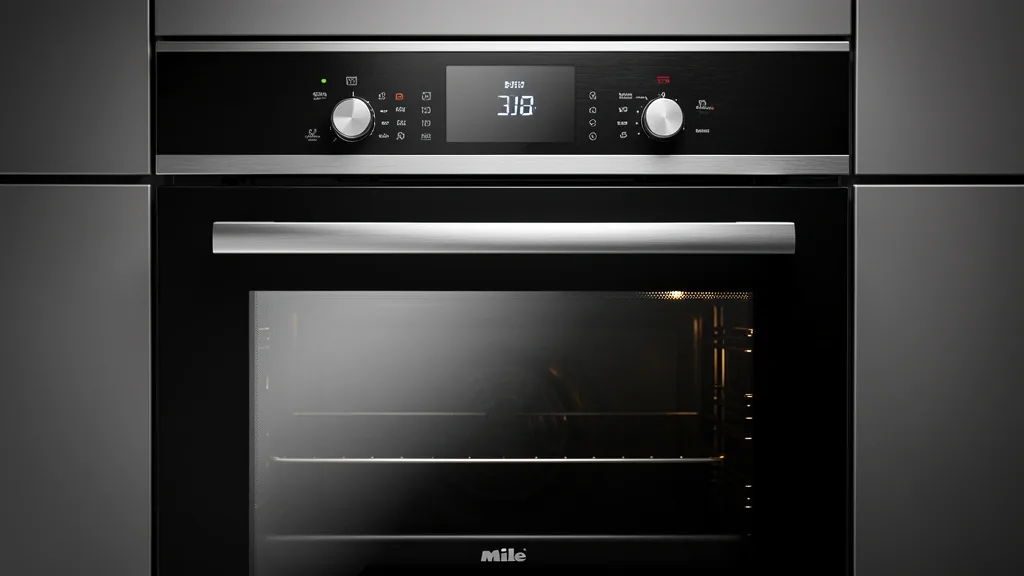
Mastering your miele oven settings requires a precise understanding of high-end German engineering applied to American culinary requirements. I’ve found that most performance issues stem from a mismatch between the oven’s sophisticated airflow logic and the user’s traditional cooking habits.
Key Takeaways
- Miele ovens use specific thermodynamic logic that diverges from standard US residential brands.
- The European convection fan design prioritizes even heat distribution, which mandates specific rack placement.
- ‘Moisture Plus’ settings require precise water injection thresholds based on your recipe’s hydration level.
Mastering the Miele Interface: Core Technical Overview
The Miele oven control interface is the brain of your kitchen’s thermal management. Unlike many US-manufactured appliances that rely on simple thermostat cycling, Miele units use a PID (Proportional-Integral-Derivative) controller to keep temperatures rock-steady.
If you’re transitioning from traditional dial-based ranges, the menu hierarchy is your biggest hurdle. Modern US models feature a TFT touch-display that acts more like a high-end tablet than a standard control panel. Mastering this is essential for accessing deeper menus like Moisture Plus and Miele MasterChef programs.
The interface uses a tree-based architecture. Distinguish between ‘Oven Operating Modes’ and ‘Special Applications’—the latter holds cleaning modes and pre-programmed adjustments that many home cooks overlook.
When you select a mode, the system defaults to ‘Rapid Preheat’. While convenient, keep in mind this function uses both the top and bottom heating elements simultaneously to reach temperature faster. Overusing this for delicate baking can lead to an internal heat overshoot, which may confuse your thermocouple and cause future temperature inaccuracies.
Navigating the ‘Combi-steam’ layers requires understanding the relationship between humidity and dry-heat cycles. When toggling settings, the interface often prompts a ‘Cool-down’ cycle to protect sensitive electronics. Don’t mistake this for a system malfunction or a delay.
The logic prioritizes heat recovery above all. If you open the door, the oven registers a sudden ambient thermal drop. To re-engage the cycle via the touch display, you must confirm your previous settings. This ensures the fan—the heart of the European convection system—reaches optimal revolutions before introducing cold air into the cavity.
For more on thermal engineering standards in high-end appliances, check the technical operation of convection ovens regarding internal heat dynamics.
Diagnostic Matrix: Interpreting Mode Symbols
| Symptom / Error | Possible Cause | Quick Check | Resolution |
|---|---|---|---|
| Bottom browning deficient | Incorrect mode | Check if ‘Fan Plus’ is selected | Switch to ‘Conventional Heat’ |
| Bread crust too tough | Excessive dry heat | Verify Moisture Plus index | Increase moisture injection intervals |
| Rapid preheat lag | Thermocouple drift | Check for cavity seal integrity | Recalibrate offset via service menu |
| Uneven browning | Airflow obstruction | Check tray placement | Use center rack; ensure tray fits cabinet depth |
The distinction between convection and conventional heating is the most misunderstood part of the Miele library. Many US bakers try to use traditional settings in a European conduction-heavy environment, leading to scorched edges and raw centers.
‘Fan Plus’ mode (European convection) forces air around the entire cavity. It isn’t just a fan blowing at the food; it’s a pressurized airflow system designed to pull humidity away from the surface. If you’re baking a high-hydration batter, lower the temperature by 25°F compared to traditional US oven recommendations.
‘Conventional Heat’ or ‘Top/Bottom Heat’ mimics the static heat of your old oven. Use this for roasting meats or baking pies where you want minimal air movement. If you don’t select this, the fan will kick in and likely dry out your protein.
Using ‘Moisture Plus’ requires an understanding of hydration. For light sourdoughs, a 10% moisture infusion supports crumb development before the crust sets. For rustic loaves, you can bump this to 20% for a professional, high-gloss finish.
Verify the symbol legend in your manual. A fan icon paired with a bottom-heat line indicates ‘Intensive Bake’, meant for pizzas and quiches. Don’t use this for a light sponge cake; the thermal intensity will set the crust before the center has risen, causing a collapse.
Because these ovens are intelligent, they track the ‘on time’ of every heating element. Over-reliance on a single mode—like only using ‘Grill’ or ‘Broil’—creates a bias in the internal logs, eventually forcing the system into a diagnostic mode that requires a professional reset.
Prerequisites for Optimal Performance
Performance in a Miele unit depends on rack architecture and material. The heavy-duty racks are engineered for airflow; aftermarket heavy-gauge stones or oversized cast iron pans can ‘choke’ circulation, especially near the rear-wall fan.
Floor-rack positioning is a physical requirement, not a suggestion. Most Miele units are optimized for the middle rack (Level 2 or 3). Placing items on the floor of the oven should be reserved strictly for ‘Intensive Bake’, as the floor-heating element is significantly more powerful than the top elements.
Material compatibility matters. Glass is an insulator and delays heat transfer. Dark-colored aluminum pans absorb heat rapidly. Since Miele’s sensors are tuned for stainless steel or standard silver-aluminum, you may need to reduce your target temperature by 10-15°F when using dark non-stick pans.
Don’t block the airflow vents. If you use a full-sheet pan, ensure it doesn’t touch the side walls. A 1-2 inch gap around the perimeter is mandatory for the ‘European convection fan’ to maintain air velocity and prevent hot spots.
Avoid the temptation to ‘peek’. Opening the door drops the cavity temperature by up to 50 degrees, triggering an aggressive recovery cycle. This rapid recovery often shifts the burner from a gentle pulse into a high-intensity phase, which can burn the tops of cakes.
For more detailed results, refer to the official Miele support and documentation portal.
Workflow: Executing Precise Cooking Steps
Initiating Moisture Plus (Steam Injection)
Moisture Plus adds controlled bursts of steam. For artisanal breads or succulent roasts, follow this sequence:
- Preparation: Fill the water tank with fresh, cold tap water to the ‘Max’ indicator.
- Selection: Navigate to Operating Modes > More > Moisture Plus.
- Temperature: Choose your target. Miele recommends 375°F–425°F for crusty breads.
- Steam Interval: Select the number of bursts. For a standard loaf, manual injection is best. Select Manual to trigger steam exactly when loading.
- Preheating: Press OK. Only insert food once the preheat progress bar is finished and the oven emits the tone.
- Triggering Steam: Once food is inside, press the Steam Injection icon on the touchscreen if you selected ‘Manual’. If ‘Automatic’ was selected, the oven handles the timing.
Preheating Sequence: Delicate Pastries vs. Roasting
- For Delicate Pastries (Fan Plus/Bake): Use Rapid Preheat. Navigate to Settings > User Preferences > Rapid Preheat > On. This engages the ring, top, and bottom elements to reach the set-point 30% faster without scorching. Load immediately after the tone.
- For Roasting (Conv. Roast): Bypass the ‘Rapid’ function. Allowing the oven to reach temperature naturally using just the primary elements ensures stable ambient heat, which is vital for rendering fat in proteins. Simply select Conv. Roast and wait for the “ready” notification.
Emergency Recovery and System Resets
Hard Power Cycle Procedure
Sometimes the Miele M-Touch or DirectSensor interface may “hiccup”—typically a frozen screen or a cooling fan that won’t shut off. To reset the logic without losing your ‘Favorites’:
- Physical Isolation: Don’t just turn the oven off at the dial. Locate the circuit breaker in your home’s main panel.
- The Hard Cut: Flip the breaker to the OFF position.
- Capacitor Discharge: Leave the power off for 60 seconds. This allows the PCB capacitors to fully discharge.
- Re-energize: Flip the breaker back to ON.
- Check: The oven will run a boot sequence. Once the home screen appears, the cache is cleared while current data stays intact.
Note on Demo Mode: If the display works but the heating elements stay cold, you are likely in Demo Mode. Deactivate it via Settings > Showroom Program > Off.
Avoiding Common Configuration Pitfalls
Steam Injection Management
If you see a “Water Intake Error,” ensure the delivery tube is clear and the tank is seated firmly. Never use distilled water; the sensors in Miele steam systems rely on the electrical conductivity of mineral-rich tap water. Distilled or deionized water will cause a sensor error every time.
Configuration Pitfall: The “Fan Plus” Over-Correction
Many users default to “Fan Plus” for everything. It’s excellent for multi-level baking, but it offers aggressive convection. For soufflés or cakes, the constant air movement can cause uneven rising. If your results are lopsided, switch to Surround mode, which uses natural convection for a gentler, stable environment.
Long-Term Care and Settings Preservation
Descaling and Pyrolytic Maintenance
- Descaling: The unit tracks steam hours. When the “Descale” message appears, you must use official Miele descaling tablets. Vinegar or generic coffee machine descalers can strip the steam generator walls.
- Pyrolytic Cleaning: For routine maintenance, use the lowest intensity level. Only use “Level 3” (Max) if the oven is heavily crusted. Remove all metal racks and runners first, as extreme heat will ruin their finish and bind the sliding mechanisms.
- System Updates: If you have Wi-Fi connectivity, check the Settings > Remote Control menu to ensure firmware is current.
📌 Save to Pinterest
Frequently Asked Questions
What is the difference between Surround and Fan Plus mode?
Surround mode uses natural thermal convection by activating the top and bottom elements, ideal for sponges or soufflés. Fan Plus uses a circular element around the rear fan for even shelf-level heat, best for cookies or multi-level baking.
When should I use Moisture Plus?
Use it for any food that needs a crisp exterior and moist interior. It is perfect for crusty breads, roasts, or desserts that benefit from controlled humidity.
Does Rapid Preheat automatically switch modes?
Yes. Once set-point is reached, the oven automatically knocks out the auxiliary rapid-heating elements and switches to your chosen cooking profile.
How do I override MasterChef temperatures?
You can choose ‘Custom’ or ‘Change’ after selecting the food category but before the cycle begins. Once a program is running, it’s best to cancel and restart in a manual mode.
Why does the fan run after I turn it off?
This is a ‘Post-Cooling’ phase. The fan stays active to protect the electronic boards from residual heat, usually shutting off within 10 to 20 minutes.