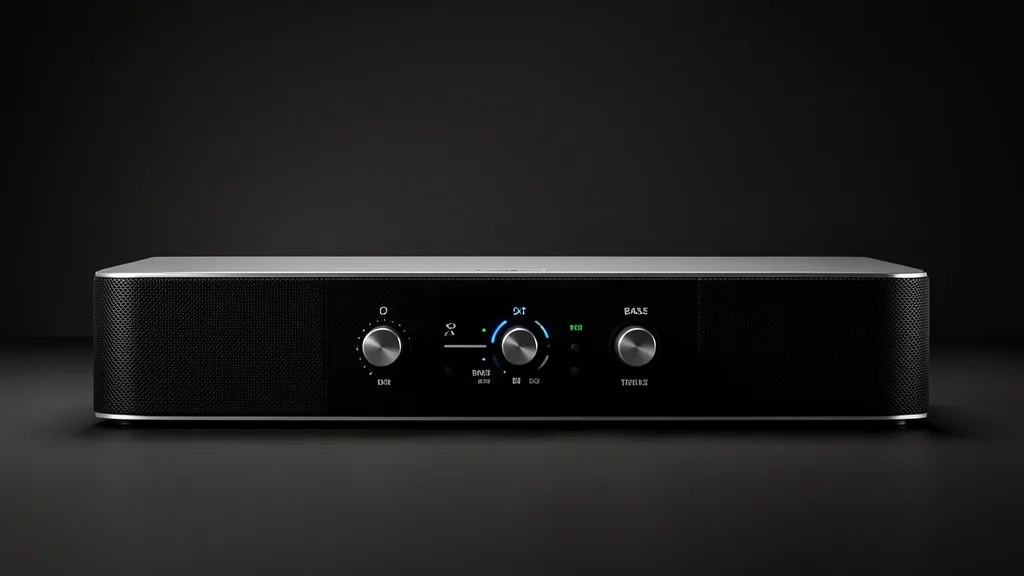
As a senior field specialist, I have seen plenty of home theater setups where high-end gear underperforms because of lazy DSP settings and poor frequency management. Getting the most out of a Samsung Q-Series soundbar requires moving past “set it and forget it” habits. You need to understand how your hardware processes audio in real-time. Whether you are fighting a muddy low-end or struggling with muffled dialogue, mastering the link between your room and the onboard processing is the key to pro-level audio.
Key Takeaways
- Adaptive Sound mode uses a priority algorithm that often overrides manual Bass/Treble tweaks. If your settings feel unresponsive, switch modes.
- HDMI eARC is your signal gatekeeper. If the source material is compressed, no amount of equalizer work will bring back the lost fidelity.
- Establish a “Reference Room” baseline before you tune. This helps you distinguish between environmental boominess and actual hardware driver clipping.
Technical Overview of Samsung Audio Profiles
The Samsung DSP (Digital Signal Processor) is the brain of your soundbar. When you cycle through modes, the processor changes the crossover frequency and phase alignment to prioritize different sound stages.
Standard mode keeps a relatively flat frequency response. It provides the most accurate take on the original stereo or surround mix. Use this for music or whenever you want to hear the content exactly as the studio mastered it.
Surround mode engages virtual up-mixing. It uses side and height channels to blow up the soundstage. This relies on heavy psychoacoustic processing, often pushing your treble and bass toward a V-shaped EQ curve.
Adaptive Sound mode is a dynamic environment. It uses AI to analyze your audio in real-time. This mode often enforces its own EQ profile, effectively locking out your manual remote adjustments to protect its optimized sound signature.
Diagnostic Matrix: Identifying Sound Distortions
Before you touch the Samsung SmartThings equalizer, you need to know if your audio issues are electronic or environmental. “Boomy” bass usually comes from your subwoofer fighting reflective surfaces. “Distorted” bass signals a mechanical failure or signal clipping at the driver.
| Symptom / Error | Possible Cause | Quick Check | Resolution |
|---|---|---|---|
| Muddy/Boomy Bass | Room Modes | Move sub 6″ from wall | Use corner traps or lower sub levels |
| Harsh/Metallic Treble | Refractive Surfaces | Cover mirrors/windows | Reduce treble EQ by -1 or -2 |
| Popping/Cracking | Driver Clipping | Lower volume to 50% | Reset EQ to 0; check source |
| Dialogue Masking | Over-active Subwoofer | Toggle to Voice Enhance | Lower subwoofer level |
If you hear rattling, figure out if it is mechanical (furniture vibrating) or electrical (signal distortion). If the distortion hits at low volumes, look at your Samsung Q-Series settings or a bad source file.
When in doubt, revert to the “Reference Room” baseline: Reset the EQ to 0, turn off virtual modes, and select Standard mode. This gives you a blank slate. Add adjustments in 1dB increments to see exactly where the sound starts to degrade.
Prerequisites for Optimal Sound Setup
Your soundbar is a computer that relies on firmware. Check the Samsung SmartThings app to ensure your firmware is current. These updates often include Dolby Atmos tuning patches and fixes for DSP efficiency.
Cable quality matters. You need a High-Speed HDMI cable (certified for 48Gbps) for eARC passthrough. A cheap, low-bandwidth cable causes handshake issues, leading to jittery high frequencies or a dropped subwoofer sync.
Subwoofer placement is the most ignored variable. Keep the sub on the floor within 5 to 10 feet of the soundbar. Sticking it inside a cabinet or on a shelf introduces nasty harmonic distortion and kills the crossover point.
Finally, set your TV’s HDMI eARC settings to ‘Pass-Through’ instead of ‘Auto’ or ‘PCM.’ If your TV forces PCM conversion, the soundbar receives a gutted signal, and you will never get that full-range bass or crisp treble you paid for.
Secure these three things—firmware, cable bandwidth, and physical placement—first. Only then will your EQ adjustments translate into real, audible improvements rather than just masking poor placement.
Step-by-Step Workflow for Custom EQ Tuning
Most audio complaints start with bad gain staging. Whether you use the remote or the app, keep a consistent workflow to ensure clean sound.
Workflow A: Physical Remote Interface (The “Woofer/Tone” Method)
Most Samsung HW-series soundbars use a “Sound Control” or “Woofer/Tone” button.
- Tap the Sound Control (gear icon) or Woofer/Tone button.
- Cycle through the menu until the display reads TREBLE or BASS.
- Use the Up/Down Navigation ring to adjust the gain in 1dB steps.
- Adjustment Strategy: Aim for +1 or +2 on the Treble if dialogue is hard to hear. Keep Bass at 0 to start, only boosting if the subwoofer is far from room corners.
- Press Sound Control again to confirm, or wait 5 seconds for it to exit automatically.
Workflow B: Samsung SmartThings Application (Digital Precision)
The SmartThings app gives you a better view of your EQ, especially for complex systems with rear surround kits.
- Connect your phone to the same 2.4GHz or 5GHz Wi-Fi as your soundbar.
- Open SmartThings and select your soundbar.
- Go to Device Settings (the three-dot menu) or the main soundbar dashboard.
- Open the Equalizer (EQ) tab to see the 7-band slider.
- Pro-tip: For movies, boost the 1kHz and 2kHz sliders to help voices cut through. To fix “boomy” bass, pull the 60Hz and 125Hz sliders down by -1 or -2dB.
- Exit the menu; the settings save to the soundbar buffer in real-time.
Emergency Recovery: Resetting Audio Loops
If your settings feel “stuck” or the sound is distorted despite a 0 EQ rating, do a hard factory reset. Don’t just power cycle it.
- With the soundbar ON, hold the Volume (+/-) buttons on the physical unit for at least 5–10 seconds.
- Wait until the display flashes INIT or INITIALIZE.
- Power it off and unplug the power cable for 60 seconds to discharge the capacitors.
- Plug it back in and let it reboot to factory defaults.
- If you use a wireless subwoofer, press the “ID SET” button on the back of the sub until it blinks fast, then power the soundbar back up to re-pair.
Pitfalls: Avoiding Clipping and Muddiness
The “Loudness War” is the cardinal sin of home audio. Maxing out your Bass adds nothing but harmonic distortion.
The Clipping Trap: Pushing your sub to +6 forces the driver past its physical limit. Once you hit that wall, the amplifier “clips,” turning your punchy bass into a mushy, distorted mess.
The Masking Effect: Excessive low-end frequencies create a “masking effect.” Your ears cannot clearly hear high-frequency transients—like footsteps or sharp consonants—when the low-end is drowning them out. If your sound is muddy, do not raise the treble. Lower the bass. Clarity lives in the midrange (200Hz to 4kHz); keep that range clean by letting your sub focus only on the low rumble.
Long-term Care and Audio Consistency
Audio is dynamic. Humidity changes or even shifting a rug can change the way your room sounds.
Firmware Hygiene: Check SmartThings -> Device Info -> Firmware Update regularly. Samsung often pushes “Sound Calibration” updates that fix how your bar handles Dolby Atmos or specific source files.
Recalibration Cycles: If you move your sofa or add bookshelf space, your room acoustics change. Use SpaceFit Sound if you have it. If you don’t, play some pink noise from YouTube to walk the room. If a corner is booming but your couch is thin on sound, move the subwoofer. Physics will always beat software EQ.
Frequently Asked Questions
Why does my soundbar sound muffled even when I bump the treble?
Muffled sound is usually an excess of mid-bass, not a lack of treble. Because the bass is too loud, it masks the vocal range. Try setting Bass to -2 and Treble to +1. This creates a “V” shape in the EQ that pulls dialogue out of the mud without introducing harsh distortion.
Does the SmartThings app override the remote?
Yes, SmartThings is the master controller. If you change a setting on the remote and then open the app, the app syncs the current state. If a setting feels “stuck” on the remote, change it in the app; this forces a hard handshake between the app and the soundbar DSP.
What is the best bass level for movies versus music?
A high-fidelity baseline is 0. For movies, many prefer +2 to give action scenes extra kick. For music, keep it at 0 to avoid making vocals sound recessed. If music sounds too thin, try adjusting the subwoofer volume rather than the EQ bass slider to keep your midrange snappy.
How do I factory reset my soundbar?
Hold the Volume (+) and (-) buttons on the soundbar casing for 10 seconds until ‘INIT’ appears. Unplug the unit for a full minute to clear the buffer, then plug it back in to set it up fresh via SmartThings.
Why does ‘Adaptive Sound’ break my custom EQ?
Adaptive Sound is a proprietary AI mode that re-calculates EQ in real-time. It ignores your manual offsets so the AI can maintain its specific sound signature. If you want manual control, switch your sound mode to Standard or Surround.